What Is a Managed IT Service Provider? And Do You Need One?

Managed IT Services Brisbane is one of those phrases many business owners hear long before they fully understand what it means.
Usually, it comes up after another slow Monday, another support issue that drags on, or another moment where your team cannot get work done because technology is getting in the way.
If that sounds familiar, you are not alone.
A managed IT service provider, often called an MSP, is an outsourced IT partner that helps keep your systems running, secure, and supported on an ongoing basis.
According to the Cybersecurity and Infrastructure Security Agency, an MSP delivers services such as network, application, infrastructure, and security through ongoing support and active administration.
Instead of only stepping in when something breaks, they work behind the scenes to prevent issues, improve reliability, and help your business make smarter technology decisions over time.
What Does A Managed IT Service Provider Actually Do?
At the simplest level, a managed IT service provider takes responsibility for the day to day health of your business technology.
That can include your computers, servers, Microsoft 365 environment, networks, backups, cybersecurity controls, cloud platforms, and helpdesk support.
For a business owner, the real value is not in the technical list. It is in what that support creates. Your team can work with fewer interruptions.
Problems are spotted earlier. Security gaps are less likely to sit unnoticed. And your internal staff are not forced to spend their week chasing recurring issues.
Managed IT Services Brisbane Support Covers More Than Helpdesk Tickets
A good MSP does much more than answer calls when someone cannot log in. Ongoing managed support often includes:
- Monitoring systems for warning signs before they become major outages
- Applying updates and patching to reduce avoidable risk
- Managing backups and recovery planning
- Supporting Microsoft 365, cloud platforms, and core business tools
- Advising on hardware lifecycle and infrastructure planning
- Helping with security reviews and compliance requirements
That broader view matters because IT problems rarely happen in isolation. A slow machine, poor user access setup, weak backups, and patching delays are often connected.
Managed IT Services Brisbane Works Best When It Is Proactive
The biggest difference between managed services and ad hoc support is that managed support is designed to stay ahead of problems. A provider monitors, maintains, reviews, and improves your environment over time.
That proactive model also lines up with the NIST Cybersecurity Framework, which organises cyber risk management around five ongoing functions: Identify, Protect, Detect, Respond, and Recover.
That does not mean issues disappear entirely. It means you have a team actively working to reduce avoidable disruption and make your technology more stable as your business grows.
Managed IT Vs Break Fix IT Support What Is The Difference?
Break-fix IT support is exactly what it sounds like. Something breaks, you call someone, and they fix the immediate issue. For some very small businesses, that can seem fine at first.
But the model has a hidden weakness. It is reactive by nature.
If your provider only gets involved when something goes wrong, there is less incentive and less time to prevent the next issue.
The same recurring problems can keep coming back. Costs can become unpredictable. And your team gets used to working around technology instead of relying on it.
Managed IT services are different because they are built around continuity and prevention.
Rather than waiting for trouble, your provider is responsible for ongoing oversight, support, and improvement.
Here is the practical difference:
- Break-fix support reacts to visible issues
- Managed services look at the environment as a whole
- Break-fix costs can be sporadic and hard to forecast
- Managed services are usually built around a clearer support model
- Break-fix solves the symptom
- Managed services aim to reduce the cause
If your business depends on technology every day, that shift in approach can be significant.
The Benefits Of Outsourcing Your IT In Brisbane
For many organisations, outsourced IT Brisbane support makes sense because hiring a full internal team for every specialty is rarely practical.
You may need day to day support, cybersecurity guidance, infrastructure advice, cloud expertise, and strategic oversight, but not all as separate full-time roles.
That is where managed services can be a strong fit.
Common benefits include:
- Access to a broader mix of expertise than one internal generalist can usually provide
- More predictable support coverage as your team grows
- Less downtime caused by delayed or inconsistent support
- Better visibility into risks, outdated systems, and improvement priorities
- Support that can work alongside your in-house IT staff rather than replace them
For Brisbane businesses, there is also value in working with a provider that understands local operations while still being able to support multi-site or broader Australian teams.
That combination can matter when your business is growing, operating across locations, or juggling both office and remote staff.
Is A Managed IT Service Provider Right For Your Business?
Not every company needs the same level of support. But there are some clear signs that managed services may be worth serious consideration.
You may be ready for a managed service provider if:
- Your staff lose time every week to recurring IT problems
- Your current support only appears when something has already gone wrong
- Security, backups, or patching feel unclear or inconsistent
- Your internal IT person is overloaded with reactive work
- You are growing faster than your current systems or support model can handle
- You need better planning around cloud, infrastructure, or business continuity
That becomes even more important when core controls feel inconsistent. The Australian Cyber Security Centre's Essential Eight highlights practices like timely patching, secure backups, and tighter control of privileged access as part of a stronger security baseline.
This is especially relevant for medium sized and larger businesses where downtime affects more than one person. A single unresolved issue can disrupt teams, delay projects, frustrate customers, and create security exposure.
If you are still unsure, a helpful question to ask is this: are we getting strategic value from our IT support, or are we just paying to put out fires?
How MIACOR IT Approaches Managed Services
MIACOR IT positions its managed offering around proactive support, business continuity, cybersecurity, and infrastructure planning for medium to large organisations.
That makes the service relevant for businesses that need more than occasional troubleshooting.
If you want to explore the service in more detail, MIACOR IT's Managed IT Services page gives a clear overview of its ongoing support model.
Businesses that are also thinking about risk exposure or compliance can continue that journey through MIACOR IT's Cyber Security page.
For companies that want a clearer picture of what support should look like before committing, the best next step is usually a conversation about current pain points, internal capacity, and future plans. You can start that process through MIACOR IT's Contact page and book a free consultation.
The goal is not just to fix tickets faster. It is to build an IT environment that supports growth, reduces disruption, and gives leadership more confidence in the systems the business relies on.
If your business is tired of reactive support, unclear accountability, or technology that constantly interrupts productivity, book a free consultation with MIACOR IT and find out what a more proactive support model could look like.
Frequently Asked Questions
How Much Does Managed IT Support Cost In Brisbane?
Managed IT support pricing in Brisbane usually depends on the size of your team, the number of sites and devices, your cybersecurity requirements, your cloud setup, and whether support is needed after hours. Some providers price per user, some per device, and some as part of a broader monthly agreement. The best way to compare options is to look beyond price alone and understand what level of support, monitoring, planning, and accountability is actually included.
What Is The Difference Between IT Support And Managed IT Services?
IT support is a broad term that can describe almost any kind of technical help. Managed IT services are more specific. They involve ongoing responsibility for maintaining, monitoring, supporting, and improving your environment over time. In short, all managed services include IT support, but not all IT support is managed.
Can A Managed Service Provider Work Alongside An Internal IT Team?
Yes. Many businesses use a managed service provider to complement their internal IT function. That can mean handling day to day support, specialist projects, cybersecurity oversight, infrastructure reviews, or overflow capacity while the internal team stays focused on business systems and strategic priorities.
Do Managed IT Services Include Cybersecurity?
They often do, but the scope can vary. Many managed providers include patching, monitoring, endpoint protection, backup oversight, and risk reduction as part of the service. More in-depth security work, such as formal audits, compliance support, or advanced threat detection, may sit alongside the core managed service depending on the provider.
When Should A Business Move From Break Fix To Managed Services?
The right time is usually when recurring issues are affecting productivity, the business is growing, security expectations are rising, or reactive support is creating more uncertainty than confidence. If your technology feels harder to manage each quarter instead of easier, it is often a sign the business has outgrown break-fix support.
Related posts
.png)
Queensland Government Suppliers: Is Your Cyber Security Ready for 2027?

How Much Does Managed IT Support Actually Cost in Australia

How Proactive IT Monitoring Prevents Costly Downtime for Businesses
What Is a Managed IT Service Provider? And Do You Need One?

5 Signs Your Business Has Outgrown Its Current IT Setup

EOFY IT Audit Checklist - Stop SaaS Waste
.png)
The Hidden Challenges of Scaling Cloud IT for Fast Growing Businesses
%20(1).png)
MIACOR IT achieves ISO 27001:2022 Certification
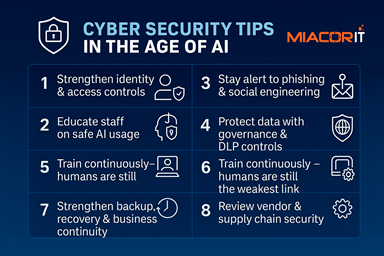
🔐 Cyber Security Tips in the Age of AI

Prevent data leaks

Understanding the Virtual Environment

Windows Server and SQL Server on Azure

3 Fundamentals for a Successful Hybrid Cloud

6 Easy Ways to save money on your IT while increasing your security!

How to improve productivity for you and your team while working from home