5 Signs Your Business Has Outgrown Its Current IT Setup

IT support Brisbane problems rarely show up all at once. More often, they build slowly in the background. A few dropped connections here.
A few staff complaints there. A system that feels just a little slower every month. By the time leadership sees the full picture, technology is already acting like a bottleneck instead of a support system.
That is why this issue catches so many growing businesses off guard. The setup that worked for 15 staff often starts failing at 40, 80, or 200.
If your team is working around your technology instead of relying on it, your business may have outgrown its current IT setup.
Sign 1: Your Team Is Losing Hours To IT Issues Every Week
Most businesses do not track the time lost to small IT frustrations. Password resets. Slow machines. Shared drive issues. Unstable Wi-Fi. Software problems that stop people from doing basic work.
On their own, those issues can seem minor. Together, they drain productivity and patience.
If staff are constantly waiting for fixes, repeating the same complaints, or finding their own workarounds, that is a warning sign. It usually means your current support model is too reactive, too thin, or too disconnected from how your business actually operates.
A healthy setup should help your team move faster, not create friction in every department.
Sign 2: Your Systems Cannot Support Remote Or Hybrid Work Properly
Remote and hybrid work exposed weak IT foundations for a lot of businesses. Systems that felt acceptable in a fully office-based environment often struggle once staff need secure access from multiple locations, devices, and networks.
And this is not a fringe scenario anymore. The Australian Bureau of Statistics reported that 36% of employed Australians usually worked from home in August 2025, which means many businesses now need systems that can support flexible work as a normal part of operations.
If your team deals with clunky remote access, inconsistent file access, poor collaboration tools, or security concerns around home-based work, your setup may no longer match the way your business runs.
This is not only a convenience issue. It affects service delivery, staff experience, and business continuity. A modern environment should make it easy for the right people to work securely from the right place, without creating chaos for your internal team.
Sign 3 You Have Had A Security Scare Or Know You Are Exposed
Sometimes the sign is obvious. A phishing incident. A suspicious login. A failed backup. A near miss that makes leadership realise how much risk is sitting quietly in the background.
Other times, it is more subtle. You know patching is inconsistent. You are not confident about access controls. Nobody seems fully sure how backups are tested. There is a general sense that security matters, but no clear process behind it.
That uncertainty matters because the Australian Cyber Security Centre's Essential Eight puts timely patching, secure backups, and tighter control of privileged access at the centre of a stronger cyber security baseline.
That kind of uncertainty is its own warning sign.
As businesses grow, cybersecurity becomes less about one-off tools and more about consistent operational discipline. If your current setup leaves too many open questions, it is time to take that seriously.
Sign 4: Your IT Person Is Overwhelmed And Reactive Not Strategic
A strong internal IT person can hold a lot together, but even the best people hit a ceiling when the business keeps growing and support demands keep piling up.
If your IT lead spends most of the week firefighting tickets, resetting access, troubleshooting outages, and chasing vendor issues, they have very little room left for planning, improvement, or strategic work.
That is where businesses often get stuck. The company has grown. The technology environment has become more complex. But the support model still depends on one person or a very small team doing everything.
That is not sustainable, and it is not fair on the people carrying the load.
Sign 5: Your Technology Has Not Kept Pace With Your Business Growth
Growth puts pressure on every part of your IT environment. More users. More devices. More locations. More data. More security requirements. More demand for speed and uptime.
If your systems were put in place years ago and only updated when forced, there is a good chance they no longer fit the business you are running now.
Common signs include:
- Aging hardware that creates reliability issues
- Old servers or network equipment that are hard to support
- Software sprawl and unclear ownership
- Limited visibility into infrastructure risks
- No clear roadmap for upgrades or future needs
When technology falls behind growth, problems do not stay technical for long. They become operational and financial problems too.
What To Do If Any Of These Sound Familiar
If you recognised your business in even two or three of these signs, the right move is not to panic. It is to get a clearer picture of what is happening, what the real risks are, and what should be prioritised first.
Start with a simple review:
- Where is your team losing the most time?
- Which systems feel unreliable or outdated?
- Are security responsibilities clearly owned and managed?
- Does your current support model help the business improve, or only react?
- What will break first if the business grows again over the next 12 months?
What Better IT Support Brisbane Should Look Like
Better support should do more than close tickets. It should reduce recurring issues, improve visibility, strengthen security, and give your business a clearer path forward.
That broader view is also consistent with the NIST Cybersecurity Framework, which groups strong cyber risk management into five ongoing functions: Identify, Protect, Detect, Respond, and Recover.
For businesses that need broader support, MIACOR IT's Managed IT Services page outlines a more proactive support model. If the issue is tied to aging systems or capacity limits, MIACOR IT's Infrastructure Upgrades page is also worth reviewing.
And if you want to talk through your current setup with a real person, you can start via the Contact page and book a free IT consultation.
If any of these signs sound familiar, now is the time to act before another quarter of frustration, lost time, and avoidable risk piles up. Book a free IT consultation with MIACOR IT and get clarity on what your business needs next.
Frequently Asked Questions
How Do I Know If I Need Managed IT Support?
You probably need managed IT support if your team loses time to recurring issues, your internal IT capacity is stretched, your systems are becoming harder to manage, or leadership has limited confidence in security, backups, and reliability. Managed support is usually a good fit when the business needs ongoing oversight, not just occasional fixes.
What Are The Signs Of Poor IT Infrastructure?
Common signs include slow systems, frequent outages, aging hardware, poor remote access, patchy network performance, weak backup processes, limited documentation, and no clear upgrade plan. If the environment feels fragile or difficult to scale, the infrastructure likely needs attention.
Is Outsourced IT Brisbane Support Only For Businesses Without An Internal Team?
No. Many organisations use outsourced IT Brisbane support to complement their in-house team. That support can add depth in areas like helpdesk coverage, cybersecurity, infrastructure planning, vendor management, or project delivery, while internal staff stay focused on higher-value priorities.
Related posts
.png)
Queensland Government Suppliers: Is Your Cyber Security Ready for 2027?

How Proactive IT Monitoring Prevents Costly Downtime for Businesses

What Is a Managed IT Service Provider? And Do You Need One?
5 Signs Your Business Has Outgrown Its Current IT Setup

EOFY IT Audit Checklist - Stop SaaS Waste
.png)
The Hidden Challenges of Scaling Cloud IT for Fast Growing Businesses
%20(1).png)
MIACOR IT achieves ISO 27001:2022 Certification
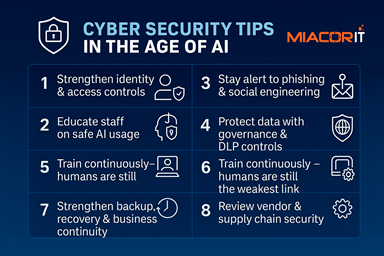
🔐 Cyber Security Tips in the Age of AI

Prevent data leaks

Understanding the Virtual Environment

Windows Server and SQL Server on Azure

3 Fundamentals for a Successful Hybrid Cloud

6 Easy Ways to save money on your IT while increasing your security!

How to improve productivity for you and your team while working from home