How Proactive IT Monitoring Prevents Costly Downtime for Businesses

Most IT problems do not appear without warning. They build gradually, through a missed patch, a failing drive, a misconfigured firewall rule, or a licence that quietly expired. By the time something breaks visibly, the underlying issue has usually been developing for days or weeks.
The difference between catching a problem in that early window and discovering it when a system goes down is the difference between a ten-minute fix and a half-day of lost productivity.
Proactive IT support in Brisbane is built around the idea that monitoring, alerting, and early intervention cost far less than reactive repair. Here is how that actually works in practice.
The Real Cost of IT Downtime for Australian Businesses
Downtime costs more than most businesses calculate in the moment. The obvious cost is the time your team cannot work. The less obvious costs include the productivity lost to context switching after systems come back online, any client-facing impact during the outage, and the time your IT team or provider spends diagnosing and fixing something that could have been prevented.
For businesses running time-sensitive operations, or those handling client data and communications, an unplanned outage at the wrong moment creates reputational and commercial damage well beyond the cost of the fix itself.
The Australian Cyber Security Centre estimates the average cost of a cyber incident for an Australian SMB at tens of thousands of dollars, and many of those incidents start with a vulnerability that monitoring would have flagged before it was exploited.
What Proactive IT Monitoring Actually Involves
Proactive monitoring means your IT environment is being watched continuously, not just checked when something breaks. The tools that enable this run silently in the background, collecting performance data from your devices, servers, and network and sending alerts when something moves outside expected parameters.
That data covers things like drive health and storage capacity, CPU and memory utilisation, failed login attempts, patch compliance status, antivirus definition currency, backup completion and integrity, and network performance and uptime. None of these individual metrics are dramatic on their own, but changes in them are often the first sign that something is moving in the wrong direction.
A well-configured monitoring setup means a technician knows about a failing drive before it fails, identifies a device that has not received a security patch, or catches a backup job that has been silently failing for two weeks, all before any of those things become an incident.
The Difference Between Reactive and Proactive IT Support
Reactive IT support waits for you to report a problem. Proactive IT support identifies problems before you notice them and resolves them, often before any impact on your team at all.
This is not a small distinction. Reactive support is fundamentally limited by the fact that you cannot report a problem you do not know about. Proactive support removes that constraint. Your IT provider sees things your team never will, and acts on them without requiring you to initiate anything.
The financial difference is also significant. Reactive repairs often involve emergency labour rates, extended diagnosis time, and expedited hardware sourcing. Proactive interventions are typically low-cost maintenance tasks carried out during normal business hours, often remotely.
What Gets Caught Early That You Would Otherwise Miss
The categories of issue that proactive monitoring reliably catches before they escalate include:
- Hardware approaching end of life, particularly drives showing early signs of failure in diagnostic data
- Systems that have fallen behind on security patches, creating vulnerability windows that attackers actively scan for
- Backup jobs that are running but producing corrupted or incomplete archives, which only become apparent when a restore is needed
- Unusual authentication activity that may indicate compromised credentials
- Storage volumes approaching capacity, which cause application failures when they fill
- Licence expirations for security tools, which create gaps in protection when they lapse
None of these announce themselves loudly. Without monitoring, they surface as incidents. With monitoring, they are addressed as routine maintenance items.
How Monitoring Supports Cybersecurity Specifically
The ASD Essential Eight framework, published by the Australian Signals Directorate, identifies patching of operating systems and applications as two of the eight baseline controls for reducing cybersecurity risk. Both require continuous visibility into the patch status of every device in your environment, which is exactly what proactive monitoring provides.
Beyond patching, monitoring creates an audit trail that is increasingly valuable for cyber insurance purposes. Insurers are asking businesses to demonstrate that active controls were in place before an incident occurs, and monitoring logs are a clear form of that evidence.
The Australian Cyber Security Centre notes that most successful attacks against Australian SMBs exploit known vulnerabilities for which patches were already available. Monitoring that tracks patch compliance directly addresses this risk.
How MIACOR IT Delivers Proactive IT Support in Brisbane
MIACOR IT provides proactive IT monitoring and support for Brisbane businesses and organisations across Australia, using enterprise-grade monitoring tools that give full visibility across devices, servers, networks, and security controls.
The monitoring platform runs continuously, with alerts routed to the MIACOR IT team for triage and action. Clients receive regular reporting that shows what was monitored, what was flagged, and what was resolved, giving you clear visibility into the health of your environment without having to ask for it.
For businesses that have experienced the cost of reactive IT, the shift to proactive support is typically one of the clearest return-on-investment decisions in the IT budget.
Find Out What Your Current Environment Looks Like
If you are not sure what your current IT monitoring covers, or whether your backups and patches are actually working as intended, a conversation with the MIACOR IT team is a practical starting point.
Talk to the MIACOR IT team about proactive monitoring or find out more about the managed IT services offering.
Frequently Asked Questions
What is the difference between proactive IT support and reactive IT support?
Reactive IT support responds after something breaks. Proactive IT support monitors your environment continuously and addresses issues before they cause visible problems. The result is fewer incidents, less downtime, and lower total cost over time.
What does IT monitoring software actually track?
A comprehensive monitoring setup tracks device health, storage capacity, security patch compliance, backup job success and integrity, antivirus status, network performance, and authentication activity. Alerts are generated when any metric moves outside expected parameters, allowing technicians to investigate and act before an issue escalates.
How does proactive monitoring help with cybersecurity?
Continuous monitoring provides real-time visibility into patch compliance, unusual access patterns, and security tool status. This directly supports the ASD Essential Eight framework's patching requirements and creates the audit trail that cyber insurers increasingly require as evidence of active controls.
How often will I hear from my IT provider if monitoring is in place?
With proactive monitoring, most routine issues are resolved without the need to contact you at all. You receive regular reports showing what was monitored and what was addressed. You are only contacted directly when something requires a decision or action on your part.
Is proactive IT monitoring worth it for a small business?
Yes, particularly in Queensland where many SMBs have limited internal IT capability. The cost of monitoring is consistently lower than the cost of a single significant outage or security incident. For businesses handling client data or running time-sensitive operations, the risk of not monitoring is difficult to justify once the numbers are compared honestly.
Related posts
.png)
Queensland Government Suppliers: Is Your Cyber Security Ready for 2027?
How Proactive IT Monitoring Prevents Costly Downtime for Businesses

What Is a Managed IT Service Provider? And Do You Need One?

5 Signs Your Business Has Outgrown Its Current IT Setup

EOFY IT Audit Checklist - Stop SaaS Waste
.png)
The Hidden Challenges of Scaling Cloud IT for Fast Growing Businesses
%20(1).png)
MIACOR IT achieves ISO 27001:2022 Certification
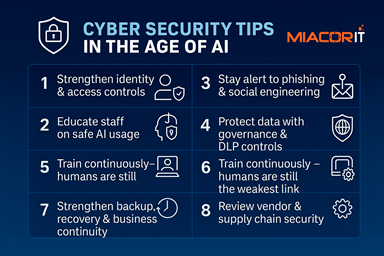
🔐 Cyber Security Tips in the Age of AI

Prevent data leaks

Understanding the Virtual Environment

Windows Server and SQL Server on Azure

3 Fundamentals for a Successful Hybrid Cloud

6 Easy Ways to save money on your IT while increasing your security!

How to improve productivity for you and your team while working from home